The Prestige RFID handbook
Everything you need to understand how credits flow, tags are minted, batches are printed, and scans are aggregated across the platform.
Platform overview
Prestige RFID is a three-tier RBAC platform for issuing and tracking RFID inventory tags with a credit-based distribution model. It has five surfaces:
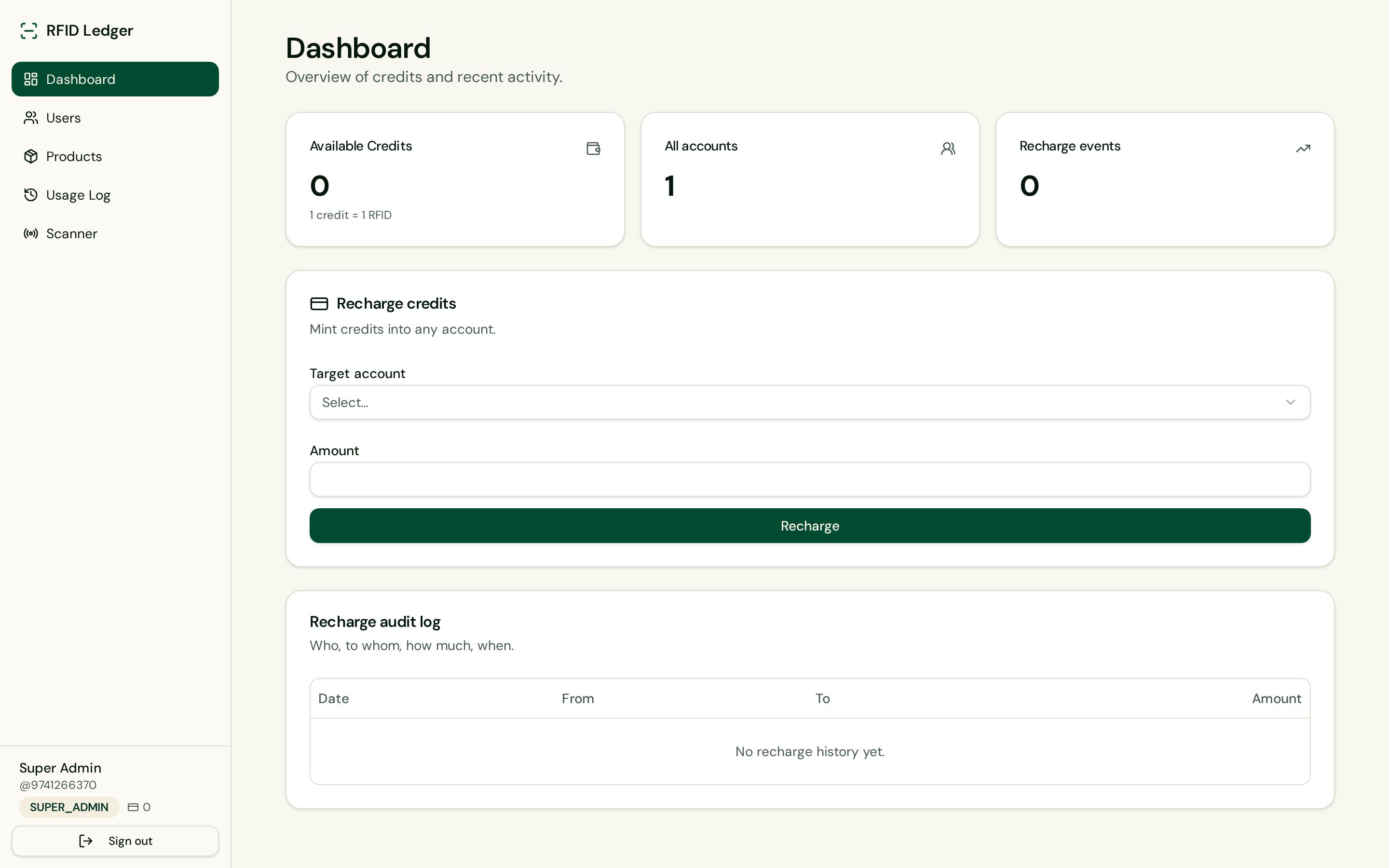
- Dashboard — balance, recharge form and audit log
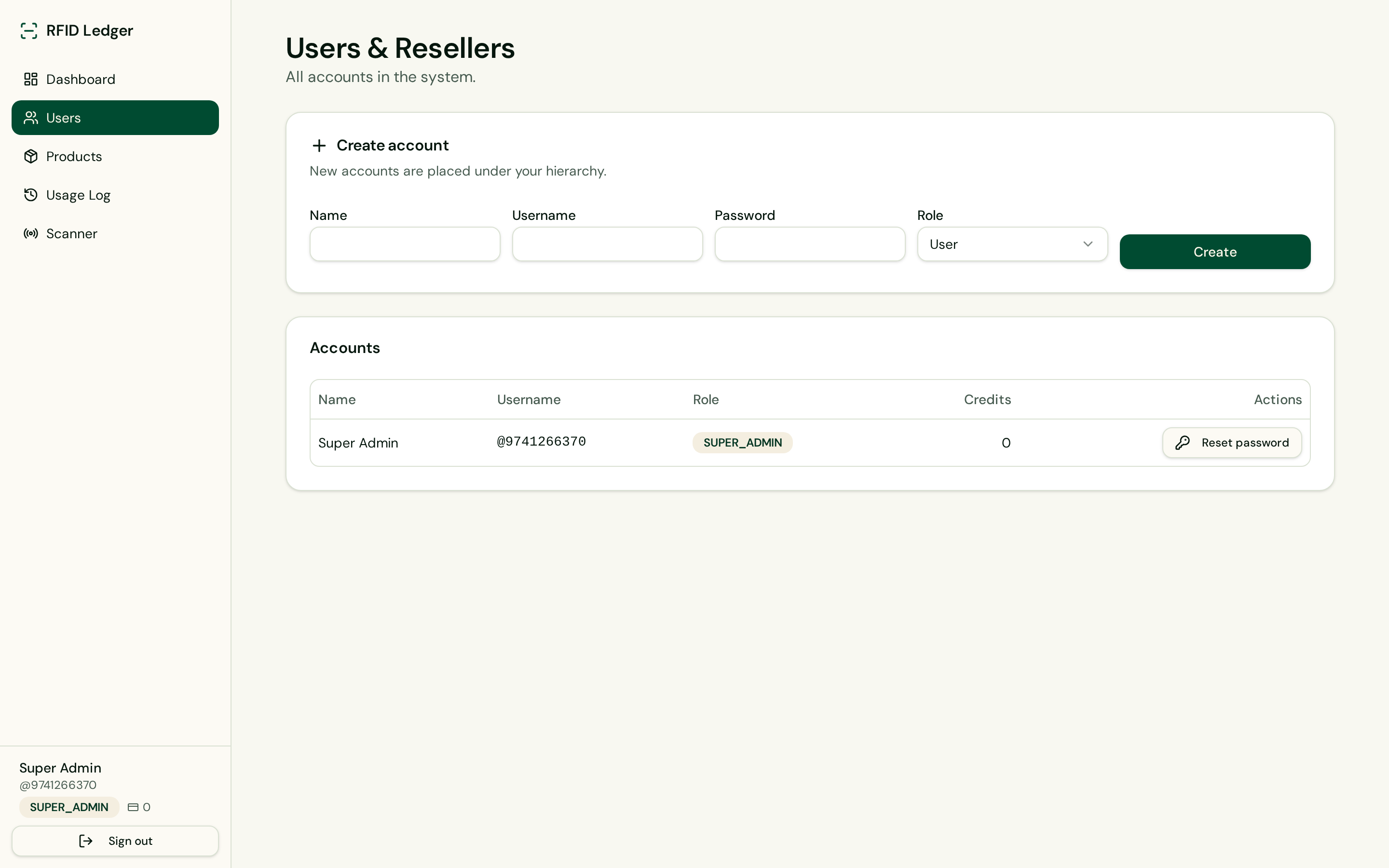
- Users — manage your downline and reset passwords
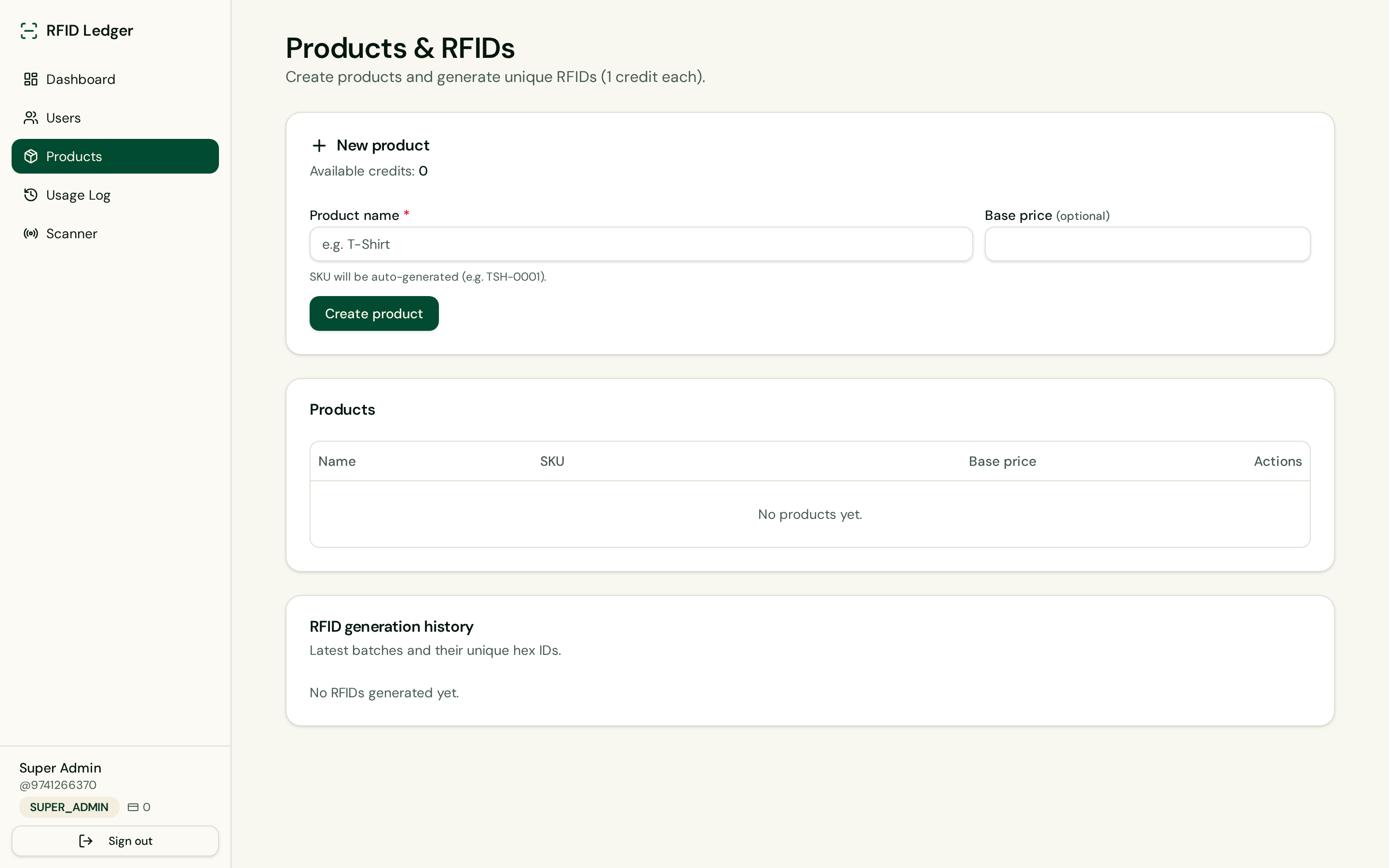
- Products — create catalog entries with auto SKUs
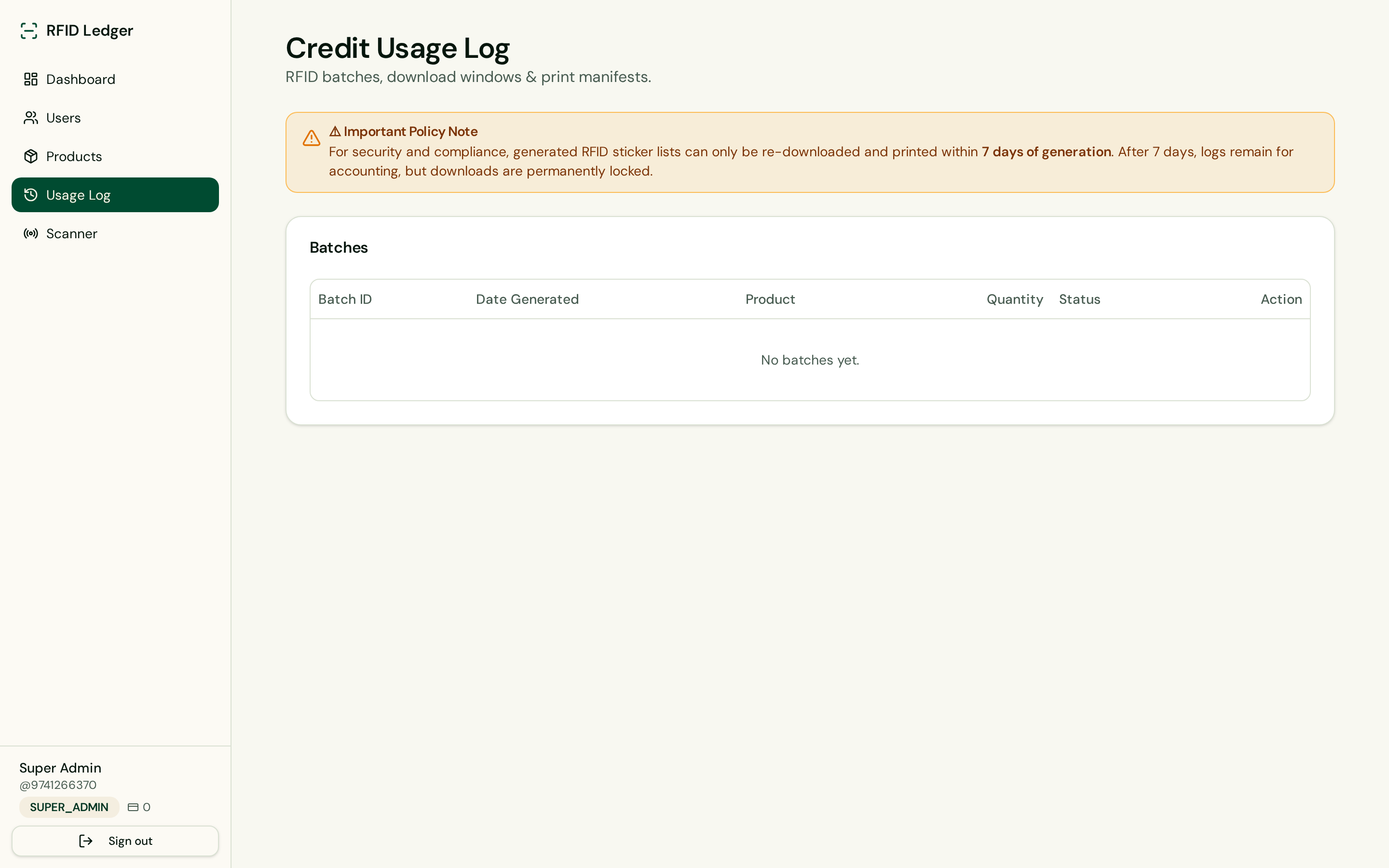
- Usage log — every generated batch with print-lock status
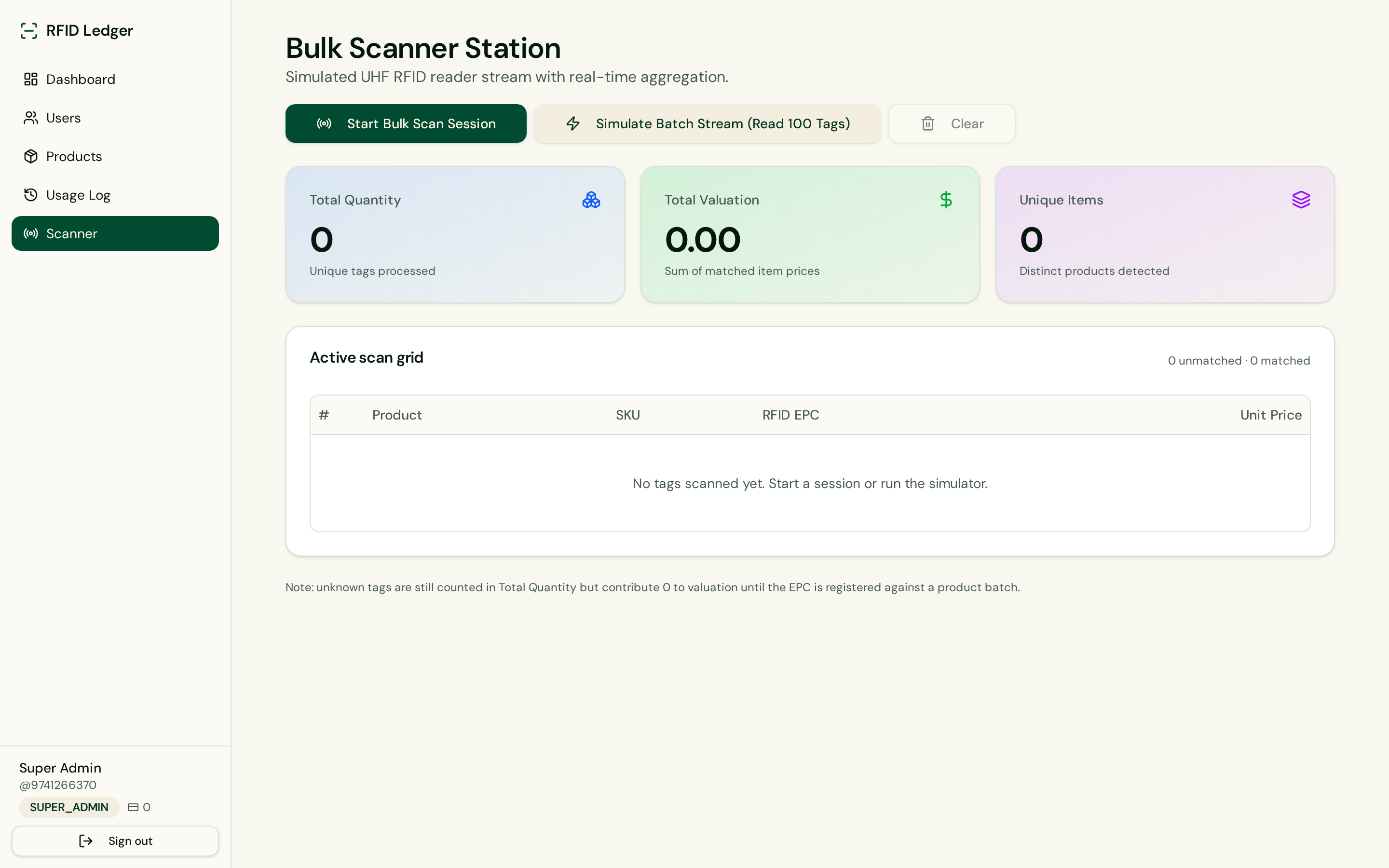
- Scanner — bulk UHF stream simulation and aggregation
Screenshot gallery
A quick visual tour of the five console surfaces — how credits, catalog, batches, and bulk scans look in production.
Role hierarchy
Every account has one role and, except the root Super Admin, exactly one parent.
| Role | Visibility | Credits | Account management |
|---|---|---|---|
| Super Admin | Global | Mints credits | Manage all accounts, reset any password |
| Reseller | Own downline | Transfers from own balance | Manage accounts they created |
| User | Own account | Spends credits | None (end operator) |
parent_id equals their own id). Super Admins see the entire tree.Credit ledger
Credits are the currency of the platform. 1 credit = 1 RFID sticker. Credits can only flow downward through the hierarchy.
- Minting: Only Super Admins can create credits from nothing. Recharging any account as a Super Admin does not deduct from their own balance.
- Transferring: Resellers moving credits to a downline account debit their own balance by the same amount.
- Auditing: Every recharge writes to the recharge log (who, to whom, how much, when) and is visible on the Dashboard.
- Deduction: Generating
NRFIDs deductsNcredits from the operator's balance.
Signup bonus — 100 free credits
Every account created with role USER is bootstrapped with 100 credits. Reseller and sub-reseller accounts start at 0, because they redistribute credits from their own balance.
- 100 credits credited automatically at USER signup
- Recorded in the credit_recharge_log as a SIGNUP_BONUS row
- Fully visible in the ledger — no credits appear out of thin air
Products & SKU rules
Products are lightweight catalog entries owned by their creator. Only Product name is mandatory; base price is optional. Product names are unique per operator (case-insensitive) — duplicates raise a clear error on both create and import.
Bulk XLS import
Import an entire catalog in one shot from an Excel or CSV file. Only the name column is required; base_price is optional. Auto-SKUs are generated for every row on the server, up to 2,000 rows per import.
- Download template — pre-formatted headers ready to fill
- Supports .xlsx, .xls and .csv
- Preview table before commit — nothing is written until you confirm
- Duplicate detection: reports rows that clash with your catalog or repeat inside the file
RFID generation engine
Tags are 96-bit random hex identifiers, matching the EPC-96 format used by most UHF readers.
- 24-character uppercase hex per tag, generated via crypto.getRandomValues
- Per-batch collision check ensures uniqueness inside the batch
- Full batch payload is stored on the credit_usage_log row
- Batches can be re-downloaded as print manifests inside the compliance window
Usage log & the 7-day print lock
The Usage Log lists every generated batch with quantity, product, timestamp, status and action. A colored badge shows the compliance state:
Labels — Barcode, QR, PDF, HTML & print
Downloading an active batch opens a preview dialog. Choose the symbology and label size once and the platform remembers your selection for next time (stored in localStorage).
- Symbology toggle — CODE128 barcode or QR Code (remembered per user)
- Preset sizes: 50×30, 40×25, 30×20, 70×40 mm — or Custom mm (10–200)
- Print — opens a print-ready sheet auto-triggering the print dialog
- PDF export — A4 grid with dashed cut lines, real codes rendered per label
- HTML export — standalone printable file you can share and print anywhere
- Manifest — plain-text list of every EPC in the batch
How-to: generate & scan an RFID
- Open Products → Add Product (or Import XLS) and give it a unique name.
- Confirm you have enough credits on the Dashboard (1 credit = 1 tag).
- Click Generate RFID Stickers and enter the target quantity.
- Go to Usage Log → Download for Print.
- Pick Barcode or QR, choose a preset or Custom size, then export PDF / HTML / Print.
- Open Bulk Scanner Station.
- Press Start Bulk Scan Session (or the 100-tag simulator).
- Watch Total Quantity, Unique Items and Valuation update in real time.
- For headless integration, POST EPCs to
/api/public/v1/scan/lookup.
Bulk Scanner Station
The Scanner is a workspace that ingests a UHF reader stream and aggregates in real time.
- Start / Stop live session button — polls the reader every 1.5s
- Simulate batch button — dumps 100 mock tags into the aggregator
- Three summary metrics: Total Quantity, Total Valuation, Unique Items
- Deduplication keyed by EPC — repeat reads of the same tag never inflate totals
Unknown EPCs (tags not registered against a product batch under your account) still count toward Total Quantity but contribute 0 to valuation until they're registered.
Hardware integration — feed a real UHF reader
The Scanner Station is transport-agnostic. Today it polls a simulator; to go live, replace the source of EPCs with whatever your reader emits. Every downstream step (dedupe, lookup, valuation, XLSX / PDF export) stays identical. Pick the pattern that matches where the reader lives.
1 · USB / serial reader on the operator's PC
Handheld or desktop readers (Zebra, Chainway, Impinj Speedway with the desktop SDK, Alien, ThingMagic…) ship a small Windows/Linux service that exposes a local WebSocket or HTTP endpoint. Install the vendor SDK, point it at a port, and connect the browser to it directly.
// inside src/routes/_authenticated/scanner.tsx — replace the setInterval block
const ws = new WebSocket("ws://localhost:8080/tags"); // vendor SDK bridge
ws.onmessage = async (evt) => {
  const { epcs } = JSON.parse(evt.data);           // shape depends on the SDK
  const rows = await lookupRfidsFn({ data: { epcs } });
  ingest(rows);                                     // dedupes + updates metrics
};
wsRef.current = ws; // ws.close() on Stopnavigator.serial.requestPort() — no installer, but the user must click "Connect" once per session.2 · Networked fixed reader (PoE, ceiling / gate-mounted)
Impinj R700, Zebra FX9600, ThingMagic Izar and similar readers speak LLRP over TCP, or can be configured to push every read as an HTTP webhook / MQTT message. Point them at a public endpoint on this app and fan the reads out to the browser via realtime.
- In the reader's admin UI, enable HTTP Push (or Keyword / Tag Report Format → HTTP POST).
- Set the destination URL to
https://your-app.lovable.app/api/public/reader-webhook. - Set a shared secret header (e.g.
X-Reader-Secret) and store the matching value in the backend so the endpoint can reject spoofed traffic. - The endpoint validates the secret, then broadcasts the batch on a realtime channel keyed by your account.
- The Scanner page subscribes to that channel while a session is live and calls
ingest()for every push.
// browser side — swap the polling for a realtime subscription
const channel = supabase.channel(`reader:${userId}`);
channel
  .on("broadcast", { event: "tags" }, async ({ payload }) => {
    const rows = await lookupRfidsFn({ data: { epcs: payload.epcs } });
    ingest(rows);
  })
  .subscribe();
// on Stop: supabase.removeChannel(channel)/api/public/reader-webhook, the shared secret, and wire the Scanner page to subscribe.3 · Android handheld (Chainway C72 / C6, Zebra TC22, Unitech HT380)
The device runs a small companion app (Kotlin / React Native / Flutter) that reads the vendor SDK's callback and POSTs each batch to the same webhook as pattern 2. The Scanner page needs zero changes beyond the realtime subscription.
// Android companion (pseudo-Kotlin) — vendor SDK gives you a callback
uhfReader.setInventoryCallback { tags ->
  Http.post("https://your-app.lovable.app/api/public/reader-webhook") {
    header("X-Reader-Secret", BuildConfig.READER_SECRET)
    json(mapOf("epcs" to tags.map { it.epc }))
  }
}
Recommended reader settings
- Region: match your country profile (FCC / ETSI / IN)
- Session: S1 for dense inventory sweeps, S0 for point-and-shoot
- Q value: 4 for < 100 tags in field, 6-7 for bulk pallet scans
- Duplicate window: 500ms — the app also dedupes by EPC, so this is belt-and-braces
- Report format: EPC-96 hex (24 chars) — matches what this platform generates
Zebra reader configuration — step by step
Zebra ships two families that both plug straight into the patterns above. Handhelds run Android with the Zebra RFID SDK for Android (companion-app pattern 3). Fixed readers run the FX-series firmware with a built-in web console and speak LLRP + HTTP push (pattern 2). Concrete steps for each below.
A · FX9600 / FX7500 fixed reader (LAN / PoE)
- Power the reader over PoE and find its IP on your LAN (default hostname
FX9600XXXXXX.local). Browse tohttps://<reader-ip>and sign in with the defaultadmin / change, then rotate the password. - Go to Configure → Region and pick the country profile (FCC for US, ETSI EN 302 208 for EU/UK, IN for India). Wrong region = radio disabled.
- Configure → Read Points: enable the antenna ports you have connected, set transmit power (start at 27.0 dBm for portal reads, 30.0 dBm for pallet lanes).
- Configure → RF / Singulation Control: Session S1, Tag Population estimated tag count in field, Target A, Inventory State A → B.
- Switch operating mode: Communication → Operating Mode → Autonomous (so the reader posts on its own without an LLRP client). Alternative: leave it in IoT Connector mode and use MQTT.
- Communication → Data Endpoint: set Protocol = HTTP POST, URL =
https://your-app.lovable.app/api/public/reader-webhook, Format = JSON, and add a custom headerX-Reader-Secret: <your-shared-secret>. - Configure → Triggers: Start = Immediate or GPI 1 rising edge (for a foot pedal / light-curtain), Stop = Duration 500 ms or Tag observation. Report = Per tag with fields EPC, Antenna, RSSI, First-seen timestamp.
- Hit Save → Commit. The reader now POSTs every read cycle to the app. Open the Scanner page, click Start Bulk Scan Session, and reads appear live.
B · RFD40 / RFD90 / MC3390R handheld sled
Handhelds run the Zebra RFID SDK on Android. Sideload the small companion app you (or we) build with the SDK — it opens the reader, listens for inventory callbacks, and POSTs to the same webhook.
- Download Zebra RFID SDK for Android from techdocs.zebra.com and add
RFIDAPI3Library.aarto the companion app. - Pair the sled with the Android host over Bluetooth (RFD40/90) or USB (MC3390R). Enable the trigger in DataWedge → Profile → RFID Input.
- In code, call
Readers.attach()→connect()→Actions.Inventory.perform()and register anEventsNotificationListener. - In the listener callback, batch tags for ~250 ms then POST the EPC list to
/api/public/reader-webhookwith the shared secret header. - Configure the trigger: Trigger Mode = HOLD, Beeper = on tag, Report EPC only, Session S1, Power 27 dBm.
// Android companion — Kotlin snippet using Zebra RFID SDK 3
reader.Events.addEventsListener(object : RfidEventsListener {
  override fun eventReadNotify(e: RfidReadEvents) {
    val tags = reader.Actions.getReadTags(100) ?: return
    val epcs = tags.map { it.tagID }             // 24-char hex EPCs
    Http.post("https://your-app.lovable.app/api/public/reader-webhook") {
      header("X-Reader-Secret", BuildConfig.READER_SECRET)
      json(mapOf("epcs" to epcs))
    }
  }
  override fun eventStatusNotify(e: RfidStatusEvents) {}
})
reader.Actions.Inventory.perform()
Zebra-specific gotchas
- FX readers refuse to transmit until region is set — no error, just silence.
- HTTPS webhooks need a valid cert; FX firmware < 3.x rejects Let's Encrypt chains — Lovable's *.lovable.app cert is fine.
- Rotate the default admin password before exposing the reader to the network.
- Firmware upgrades ship as .zpl / .tar — apply via Configure → Firmware, reader reboots ~90s.
- For dense-reader environments, switch RF Mode to Mode 1002 (dense-reader) to avoid cross-talk.
techdocs.zebra.com.Public REST API & keys
Every user can mint a bearer API key on the API Keys page and drive the platform from any language or scheduler. Keys are shown once at creation and only the SHA-256 hash is persisted.
- rfid_ prefixed bearer tokens — create and revoke from the console
- REST base: /api/public/v1 — no browser session required
- GET /me · GET/POST /products · POST /products/{id}/rfids
- GET /usage · GET /usage/{id} — enforces the same 7-day print lock
- POST /scan/lookup — bulk EPC → product + valuation resolution
Authorization: Bearer rfid_…. See the API reference for full request/response schemas and cURL examples.Security model
- Row-Level Security is enabled on every table. Reads are scoped to the owner, their ancestors and Super Admins.
- The role enum lives in a dedicated table checked via a
SECURITY DEFINERfunction to prevent privilege escalation. - All privileged mutations happen server-side inside authenticated server functions; the client never carries a service key.
- Expired batch payloads are refused server-side, so a leaked download link cannot bypass the print lock.